When the heat becomes too much, a cool home is more than a luxury. It is where you unwind after a long day, spend time with family and enjoy a good night’s sleep. But your air conditioner can do more than simply cool a room.
Samsung air conditioners come with a range of features designed to improve comfort, optimise airflow and make cooling more convenient. Understanding how these features work can help you get more out of your unit and make your home more comfortable.
Here are some of the features to explore and simple ways to make the most of them.
1. Enjoy a More Comfortable Night’s Sleep with Good Sleep Mode
Ever gone to bed feeling too warm, only to wake up in the middle of the night feeling too cold? Samsung’s Good Sleep mode is designed to address this by adjusting the room temperature as you move through different stages of sleep.
Rather than maintaining one temperature throughout the night, the feature adjusts cooling to suit your sleep cycle. It cools the room as you fall asleep, maintains a comfortable environment during the early part of your sleep and gradually adjusts the temperature as your body moves through deeper sleep stages and approaches waking time.
On selected compatible models, the experience can go a step further. When connected through SmartThings, a Galaxy Watch can detect when you fall asleep and automatically activate Good Sleep mode, eliminating the need to manually adjust the remote.
2. Enjoy Cooling Without the Direct Cold Blast with WindFree™ Technology
Sometimes, you want a cool room without having cold air blowing directly at you. This is where Samsung’s WindFree™ technology comes in.
Instead of releasing air through a single opening, WindFree™ cooling disperses air through thousands of tiny holes on the unit’s front panel. This helps distribute cool air gently around the room, reducing the uncomfortable direct blast often associated with conventional air conditioning.
It is particularly useful when you want to maintain a comfortable temperature while working, relaxing or sleeping.
3. Control Your AC from Your Smartphone with SmartThings
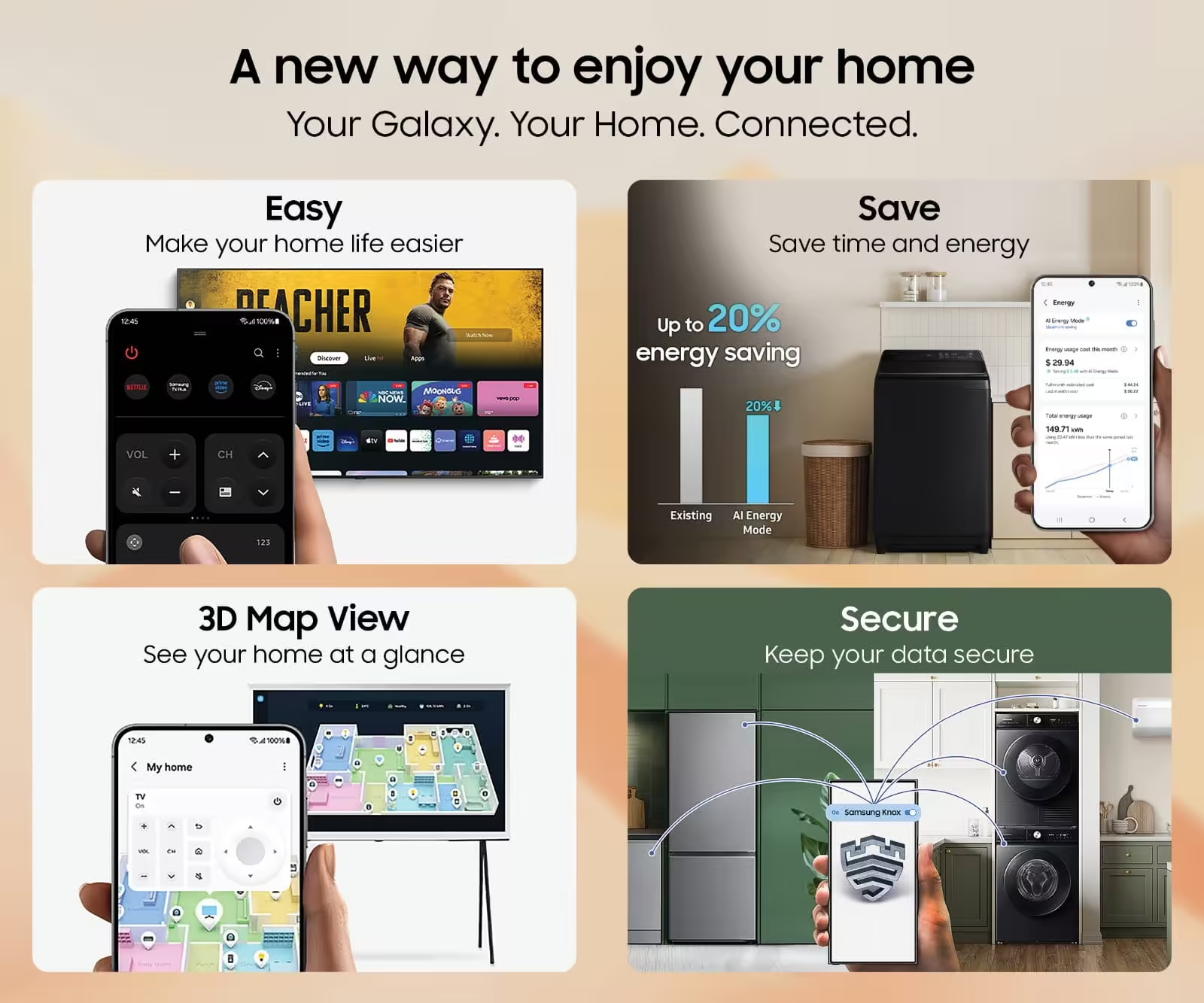
You do not always have to be next to your air conditioner to manage your comfort. On selected Wi-Fi-enabled Samsung AC models, the SmartThings app allows you to control your unit directly from your smartphone.
You can switch the AC on or off, adjust settings, schedule operating times and monitor power consumption remotely. This gives you greater control over how and when you cool your space.
For instance, you can switch on your AC before settling down at home or create an operating schedule that fits your daily routine.
4. Let Your AC Respond to the Room with Motion Detect Sensor
Some Samsung WindFree™ models come with a Motion Detect Sensor that can detect when a room is unoccupied.
When no movement is detected, the AC can automatically adjust its operating mode to help reduce unnecessary energy consumption.[9] This can be particularly useful in spaces where people move in and out throughout the day, such as living rooms and home offices.
5. Understand How Digital Inverter Technology Supports Efficient Cooling
Your air conditioner does not always need to operate at full power to maintain a comfortable temperature.
Samsung’s Digital Inverter Boost technology is designed to maintain the desired temperature with fewer fluctuations.According to Samsung, the technology can reduce energy consumption by up to 73% compared with a conventional Samsung model. Actual savings may vary depending on the model, usage patterns and operating conditions.
Understanding this feature can help you appreciate how your AC balances cooling performance with energy efficiency.
6. Keep Your AC in Good Condition
Even with advanced cooling features, your air conditioner still needs regular care. Dust can accumulate on the filters and affect airflow, so check and clean them according to the instructions in your model’s user manual.
Keep the area around the indoor unit clear to allow air to circulate freely. The outdoor unit also needs sufficient space for ventilation and should not be obstructed by objects or debris.
It is equally important to arrange professional servicing when necessary. If you notice unusual noises, water leaks or a drop in cooling performance, have a qualified technician inspect the unit.
Make Every Moment at Home More Comfortable
From adjusting temperatures as you sleep to distributing cool air more gently and giving you control through your smartphone, Samsung AC features are designed to make everyday cooling more convenient.
Take time to explore the functions available on your model and use them in ways that suit your daily routine. With the right settings and regular maintenance, you can get more out of your Samsung AC and enjoy a more comfortable home.